Connect OpenAI with your Vault admin key
On this page
Your OpenAI Vault admin key lets Outlet manage app access in your account. Outlet creates a separate Vault App key for each app you approve. Your Vault admin key stays encrypted in Outlet. Apps never receive it.
What you need
You need the Owner role in your OpenAI organization and API billing set up. Vault admin keys start with sk-admin-. Create yours on the Admin keys page. Direct API keys from the API keys page will not connect your account to Vault.
An API key made with Service account can be used in Direct. It is not a Vault admin key. For Vault, open Admin keys instead.
Steps
Sign in to the OpenAI platform
Go to platform.openai.com and sign in. If you belong to more than one organization, make sure the right one is selected in the top-left switcher.
Only an owner of the OpenAI organization can make an admin key.
Open the Admin keys page
Go straight to platform.openai.com/settings/organization/admin-keys, or open Settings and pick Admin keys.
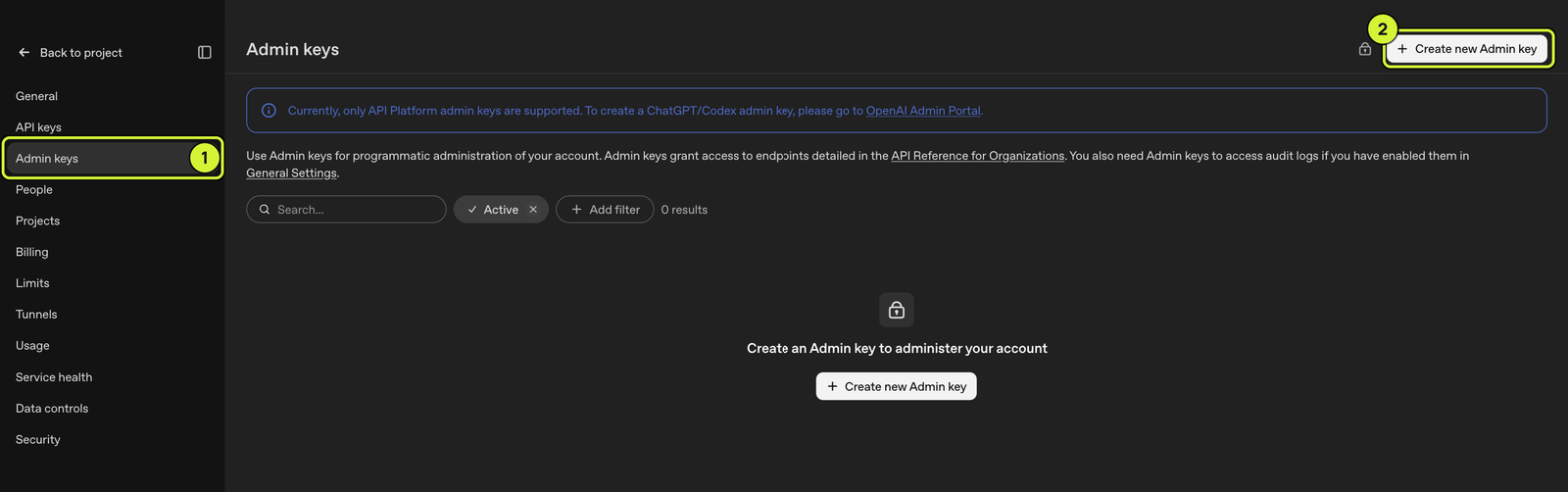
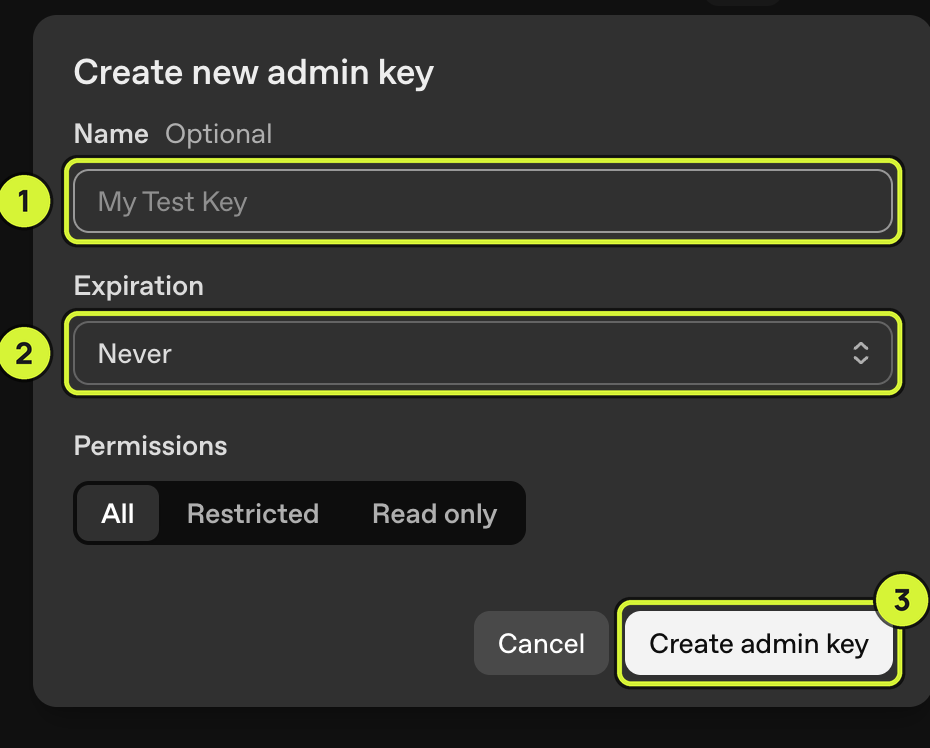
Create the key and copy it
Click Create new Admin key, name it Outlet, leave
Expiration on Never and Permissions on All, then click
Create admin key. Copy the sk-admin-... key right away. OpenAI
shows it only once. If you lose it, delete it there and make a new one.
Paste it into Outlet
Back on Outlet, paste your Vault admin key into the Vault admin key field. Then review the app’s Vault access and cap.
Learn more
OpenAI's official article: Admin and Audit Logs API for the API Platform.